Showing posts with label Art. Show all posts

Thursday, October 22, 2009

Corel Showcases New Windows 7 Capabilities with Corel® Paint it!(TM) touch

Press Release

New Painting Software Joins Corel® Digital Studio(TM) 2010 in Corel's Windows Touch Product Lineup

OTTAWA, Oct 22, 2009 (BUSINESS WIRE) -- CREL | Quote | Chart | News | PowerRating -- Corel Corporation (NASDAQ: CREL; TSX: CRE | Quote | Chart | News | PowerRating) today introduced Corel(R) Paint it!(TM) touch, a new digital art studio built explicitly for the Windows 7 platform. Corel Paint it! touch is the latest addition to Corel's new portfolio of creative consumer products that are designed to give users an all-new, hands-on experience built on the power of Windows Touch technology.

Built specifically for use on Windows 7 and optimized for use on touch-screen computers, Paint it! touch provides budding artists of any age with a unique artistic experience. Using the program, consumers can create original artwork with the touch of their fingertips. The program's touch-enabled capabilities let consumers add artistic touches to photos or create art from scratch using a number of realistic brushes and effects.

"With Paint it! touch, it is now possible to bypass mouse clicks and interact directly with your digital canvas, all with the touch of your fingertips," said David Toeg, Paint it! touch Product Manager for Corel. "Windows 7 and Windows Touch have enabled Corel to create new possibilities for our users by removing barriers and helping them to connect with their digital content in more personal ways. Whether they are creating painted masterpieces, photo projects, or home videos, it can now be an even more spontaneous and interactive experience."

"Corel has supported Windows 7 throughout the development process," said Mark Relph, senior director for Windows Product Management at Microsoft Corp. "As a result of the collaborative effort, we are bringing more benefits to customers."

Windows 7 reflects Microsoft's commitment to focus on customers' top priorities and emerging interests. Built to make everyday tasks faster and easier, the new OS is the result of years of in-depth listening to the needs and desires of customers. As a result, Windows 7 works the way customers want it to work -- faster boot up, longer battery life and fewer alerts.

Corel has worked closely with Microsoft to ensure that its customers enjoy the full benefits of the Windows 7 experience. In June, Corel was selected by Microsoft as its Global ISV Consumer Partner of the Year. In September, Corel introduced Corel Digital Studio 2010, a simple, fast and fun way for friends and families to organize, edit, create and share their favorite photos, videos and projects within one integrated, easy-to-use and engaging environment. Built on Microsoft's new Windows Presentation Foundation platform, Corel Digital Studio 2010 has been designed to take advantage of the latest Windows 7 features including Windows Touch, Jump Lists and Libraries.

Pricing and Availability

Corel Paint it! touch is exclusively available in North America as an electronic software download for users who own Windows 7 touch-enabled computers, and via selected OEM partners. For more information or to purchase the download, please visit www.corel.com/paintittouch.

For more information about Corel Digital Studio 2010, please visit www.corel.com/digitalstudio.To learn more about Corel and Windows 7, please visit www.corel.com/windows7.

About Corel

Corel is one of the world's top software companies with more than 100 million active users in over 75 countries. We develop software that helps people express their ideas and share their stories in more exciting, creative and persuasive ways. Through the years, we've built a reputation for delivering innovative, trusted products that are easy to learn and use, helping people achieve new levels of productivity. The industry has responded with hundreds of awards for software innovation, design and value.

Our award-winning product portfolio includes some of the world's most widely recognized and popular software brands, including CorelDRAW(R) Graphics Suite, Corel(R) Painter(TM), Corel DESIGNER(R) Technical Suite, Corel(R) Paint Shop Pro(R) Photo, Corel(R) VideoStudio(R), Corel(R) WinDVD(R), Corel(R) WordPerfect(R) Office, WinZip(R) and the recently released Corel(R) Digital Studio(TM) 2010. Our global headquarters are in Ottawa, Canada, with major offices in the United States, United Kingdom, Germany, China, Taiwan and Japan.

(C) 2009 Corel Corporation. All rights reserved. Corel, CorelDRAW, Paint Shop Pro, Painter, Corel DESIGNER, VideoStudio, WordPerfect, WinDVD, WinZip, Digital Studio and the Corel logo are trademarks or registered trademarks of Corel Corporation and/or its subsidiaries. All other product names and any registered and unregistered trademarks mentioned are used for identification purposes only and remain the exclusive property of their respective owners.


Technorati Tags: ,

Digitial Painting Fundamentals with Corel Painter 11
Advanced Painter Techniques

Thursday, October 15, 2009

Abstract Landscape Painter Brightens Internet with Launch of Colorful Web

Press Release

Founder of MurphyArtStudio.com, Mary Murphy, created an online business in an effort to distribute her brightly colored and uniquely crafted landscape paintings to a global market. Each piece of artwork is a vibrant expression of oil paint on canvas that depicts the beauty of nature as never seen before. Shoppers are encouraged to visit the Web site's newest addition, an interactive blog full of artistic information.

Salisbury, MD (PRWEB) October 15, 2009 -- Mary Murphy spent most of her life taking orders from the left side of her brain. Keeping things orderly and logical was a lifestyle that served her well for many years. However, before she retired from the University of Maryland, where she had served as a math teacher, Murphy enrolled herself in a few art classes to explore a world she knew little about.

It began with drawing, duplicating simple images on postcards and greetings cards, and progressed toward free-form illustrations that incorporated paint. After years of practice and precision in fine-tuning her style, Murphy found her niche within the vibrant world of art: abstract landscapes.

"I simply follow my creative instinct," Murphy said. "When I begin painting a new piece, I never know what the final product will look like. It all comes together in the end; perfect and imaginative."

She launched her Web site, www.MurphyArtStudio.com, in July of 2009 in an effort to distribute her original pieces to artists and art enthusiasts across the globe. Murphy continually updates her inventory with a variety of landscape paintings; each piece offers a different perspective on nature in a world that knows no restrictions of color.
To learn from a woman who envisions blue trees matched with a pink sky - creating a picture-perfect painting inviting enough to want to climb inside - follow her advice and tips on her newly implemented, interactive blog. Murphy will discuss the basics of artistic technique, different styles of painting, the ins and outs of producing her paintings and profiles of some of the most influential artists of all time. All of this information and more can be found at www.MaryLandscapeArtInfo.com.

About the Company:
MurphyArtStudio.com is owned and operated by abstract landscape artist Mary Murphy.

Mary Murphy
www.MurphyArtStudio.com
(410) 749-2696

iePlexus, Inc.
www.iePlexus.com


Technorati Tags: ,,
Bold Visions: A Digital Painting Bible

Achieving Depth & Distance: Painting Landscapes In Oils

Carlson's Guide to Landscape Painting

Wednesday, October 07, 2009

Software Review: Michael Andrew's PaintBaller Pro Presets

Written by T. Michael Testi

Michael Andrew PaintBaller Pro is a package of presets that give you the ability to create a unique feel to your images that can range from a painted look to High Dynamic Range (HDR) without any specific in camera manipulation. These presets work with Adobe Camera Raw and Adobe Lightroom 2.

Installing PaintBaller Pro is as easy as copying files into the appropriate directory as discussed in the instructions that are included with the product. There is one set of files for Lightroom 2 and one set for Adobe Camera Raw. The license allows you to use both sets, but if you only have one or the other, copy the appropriate files to their location and once you have done this everything is ready for you to use.

PaintBaller Pro comes with 25 different presets that give a wide variety of looks to your images. The fact that you can combine these presets, and that the specific order in which they are applied can change the look dramatically, there are virtually an unlimited number of combinations that can be created. Unlike actions, these presets are run from within the Adobe Camera RAW engine which comes with both Photoshop and Lightroom.

PaintBaller ProIn case you are not familiar with Adobe Camera Raw (ACR), this is a plug-in originally designed for Adobe Photoshop that is used for working with the RAW files that DSLR cameras produce. Camera Raw makes the process easier by giving you complete control over these uncompressed negatives, and allowing you to control many parameters within the image.

Adobe also integrated the ACR functionality into Lightroom when it was released the functionality of the two are the same. The differences come from the application. One of the main differences though is that in Lightroom 2 is that you can preview your preset change before you apply it. In Camera Raw you have to apply it to see the change.

Michael Andrew created these presets because as a photographer, he knows how easy it is to get into a creative rut. This can lead to images that become monotonous and repetitive. By creating PaintBaller Pro, he is providing new techniques to help you get your creative juices flowing again.

PaintBaller ProYou do need to be comfortable with working with ACR or Adobe Lightroom 2 in the develop mode because chances are that applying a preset by itself will not provide perfect results. Many times, depending on the image, they will not look very good. Your success will come from "tweaking" the photo to get them to turn out correctly. When you purchase the product, you will receive a link and a password to access some video's that will show you the major and minor tweaks you will work with.

Once you have PaintBaller Pro installed, then it is really easy to apply a preset. First you select which medium you will work in - ACR or Lightroom. For ACR, you open Adobe Bridge and select the photo that you want to use and open in using ACR. Then in ACR you select the preset tab and select a preset and apply.

In Adobe Lightroom 2, you select the preset tab on the left panel and navigate to the MA PaintBaller Pro LR2. Then when you hover over a specific preset you will see the change in the preview window. From personal preference, to me it is easier working from within Lightroom but they work equally as well from either.

While, if you don't have a camera that shoots Camera Raw, you can still take advantage of PaintBaller Pro as it does work with any files that work within ACR which includes JPEG files. One thing to keep in mind is that because a JPEG file is compressed, it has lost data and therefore the quality may not be as good as if you used a raw file.

There are also other things that can affect result quality such as ISO settings and the amount of noise in the image. If you want to see some samples of what PaintBaller Pro can do for you check out the PaintBaller Pro Samples Page. There are also video demos there as well.

PaintBaller ProI found the Michael Andrew PaintBaller Pro presets very easy to use and very intuitive as having a lot of flexibility. This set is $150 and can be purchased at Michael Andrew's store. If you are looking for something to put some pop into photos, then check out PaintBaller pro.


The list of PaintBaller Pro presets that are available are:

• "A1 Starter"
• "Blitz"
• "Blown Away"
• "Comic Boy"
• "Comic Girl"
• "Dead Eye"
• "Edge"
• "Fullback"
• "Grenade"
• "Hat Trick"
• "Ice"
• "Jello"
• "Katana"
• "Lorie"
• "Maverick"
• "Newspaper"
• "Oreo"
• "Pseudo-Sun"
• "Quick Mint"
• "Rootbeer Float"
• "Secret Sauce"
• "Time Warp"
• "Viper"
• "X-Ray"
• "Zing"

Adobe Photoshop CS4 for Photographers: A Professional Image Editor's Guide to the Creative use of Photoshop for the Macintosh and PC

The Adobe Photoshop CS4 Book for Digital Photographers
Adobe Photoshop CS4 One-on-One

Thursday, October 01, 2009

Michael Freeman's Perfect Exposure: The Professional's Guide to Capturing Perfect Digital Photographs

image

Description

Clear, direct and guaranteed, the perfect exposure method looks at the way professionals work, and lays out the decisions and sequences with absolute clarity, while incorporating the latest, powerful post-processing techniques. Choosing the exposure for a photograph is infinitely complex and one of photography's most absorbing paradoxes because it affects everything in the image and its effect on the viewer. Understanding how and why exposure works is essential, not only because it helps you to decide what is instinctively "right," but this book will give you confidence in that decision--an invaluable skill for every single photographer. Full of beautiful photographs taken by Michael Freeman, this book will arm you with the tools you need for perfect exposure of your photographs.
* Written by world-renowned expert photographer and author Michael Freeman
* Ground-breaking exposure system for digital age photography
* Uses clear examples from real photo assignments with in-depth explanations
* Foolproof flow charts enable quick and easy comprehension

Contents

1. Fast-Track and Foolproof; 2. Technical Basics; 3. The Twelve; 4. Style; 5. Post-Processing; Glossary; Index

Read the full Review….


Michael Freeman's Perfect Exposure: The Professional's Guide to Capturing Perfect Digital Photographs

News of Note October 1, 2009


  • Polaroid Last picture show -

    As the final cartridges of Polaroid film pass their use-by date, an exhibition of the finest photographers to use the instant format demonstrates just how much it will be missed. Next month a love affair lasting more than 60 years will end. The last batch of Polaroid film will pass its use-by date and the era of instant Polaroid photography, one of the greatest inventions of the 20th century, will draw to a close. Read More…

  • LIFE is Good! - By Harry McCracken

    I’m not sure how I managed to miss this, but as far as I’m concerned it’s the month’s best tech-related news. On Wednesday, Google announced that Google Books has published the entire run of the most famous incarnation of LIFE magazine–almost 1900 issues, spanning 1936 to 1972. It’s the perfect complement to Google Images’ astonishing LIFE photo archive, and as useful a reference work on several eventful decades of American history as we’re going to get in one place. Read More…

  • Disappearing Acts - Mona Lisa – 1911

    How many disgruntled ex-employees does it take to rob the Louvre? Apparently just one. On Aug. 21, 1911, former workman Vincenzo Peruggia waltzed into the museum and stole the tiny painting, then valued at $1 million, by ripping it from the wall while no one was looking, stuffing it under his shirt, and waltzing right back out. Two years later police captured Peruggia and recovered the painting thanks to an honest art dealer in Florence who reported Peruggia to police after he unsuccessfully tried to pawn it. Even so, the Mona Lisa exhibit remained popular during its disappearance; thousands of museum visitors lined up just to see the empty space where it should have been hanging. Today, the painting has a high-security room all to itself. Read More…

  • 6 Tips for Perfect Composition in Portrait Photography by Christina N Dickson

    Every on-location portraitist is faced with the challenge of paying attention to the details regarding his or her subject, such as posing, lighting, composition etc. Perhaps the greatest mistake made by amateur on-location portrait photographers is the lack of emphasis placed on a portrait’s background surroundings.

    Photographers who do not closely examine the surroundings within the frame of their image are those who come away with images that have great distractions. No high school senior or bride will purchase a portrait in which a tree limb is sticking out of her head. Such distracting elements take emphasis off the subject, and are detrimental to the portraitist’s sales. There is nothing more painful for a portraitist than taking a portrait that is beautifully posed, gorgeously lit, and absolutely unusable … simply because no attention was given to background composition! Read More…


Technorati Tags: ,,,

Tuesday, September 29, 2009

Visual Poetry: A Creative Guide for Making Engaging Digital Photographs


image

A great photograph has the potential to transcend verbal and written language. But how do you create these photographs? It’s not the how that’s important, but the who and the what. Who you are as a person has a direct impact on what you capture as a photographer.
Whether you are an amateur or professional, architect or acupuncturist, physician or photographer, this guide provides inspiration, simple techniques, and assignments to boost your creative process and improve your digital images using natural light without additional gear.
Chris Orwig’s insights—to reduce and simplify, participate rather than critique, and capture a story—have made him an immensely popular workshop speaker and faculty member at the prestigious Brooks Institute. His engaging stories presented as lessons follow his classroom approach and highlight what students say is his contagious passion for life.

Read More…

You can read my review on Blogcritics.org or take in some Sample Chapters.

Chapter 2: Creativity and Photography

Chapter 4 – Camera Creativity and Technique

Technorati Tags: ,,

Wacom Adds Multi-Touch To Bamboo

Next generation Bamboo™ combines Multi-Touch and pen input, ushering in a natural, intuitive and simple way to work with computers

Vancouver, WA - Sept. 24, 2009 - Wacom® today announced an exciting new computer input solution with the introduction of Multi-Touch in its new family of Bamboo tablets.   Bamboo tablets are USB peripherals that deliver natural and intuitive input to desktop or laptop computer users.   With the ultimate goal of creating harmony between humans and technology, Wacom combines Multi-Touch (finger-based input) with pen input to deliver an entirely new standard in human-computer interaction.  "Multi-Touch provides a very natural and intuitive way for users to navigate and interact with applications," said Dennis Hoff, senior consumer product manager for Wacom.  "By combining Multi-Touch with our renowned pen technology, Bamboo provides users with a new computer input approach that is not only extremely flexible, but friendly, fresh and fun."
Bamboo includes a family of five distinct tablets: touch-only, pen-only and three versions of the pen and Multi-Touch combination.  Bamboo offers choices to give end-users the freedom to work with their computer the way they want.  Bamboo also goes beyond current mouse and other input solutions by adding the power of Multi-Touch gestures such as zoom, scroll, pan and rotate.  Compatible with Windows® or Mac® operating systems, Bamboo is easy to use and introduces a way of computing that is about as natural as one can get. 
Bamboo's timely introduction reflects modern design and functionality by offering new ways to interact with computer-based content.  "Multi-Touch and pen input are highly complementary input methodologies, each providing distinct benefits to the overall creative experience.  We live in a world where people demand immediate and direct interaction during computer sessions," continues Hoff.  "Making that interaction as natural and easy as possible is Bamboo's raison d'ĂȘtre."

Getting In Touch with Bamboo
The next generation Bamboo family is as diverse as the user it intends to serve.  While Multi-Touch input might be foreign to some, there is a whole generation of touch-centric users who have emerged thanks to the introduction of mobile devices, such as the Apple® iPhone™ and even larger surface displays like those found in Automated Teller Machines (ATM).  Touch is here to stay and Bamboo addresses this growing affinity for touch by providing a line of inspirational products that meet this phenomenon head on.  "We are quite literally putting input control and expression into the hands of the user by making Multi-Touch available for everyone," explains Hoff.  "It truly represents a positive move within the user community by introducing a natural, human element to the computing experience."

"Pentastic" Bamboo
Wacom's patented, pressure-sensitive, battery-free and cordless pen is still central to the Bamboo experience.  While Multi-Touch gives users a fresh new way to interact and navigate with their computer, pen input delivers the precise input control and a true pen-on-paper feel.  Whether annotating, drawing or editing, the pen is the ideal tool to use when working with software applications, especially those creative applications that support pressure sensitivity.  One can even erase mistakes with the pen's digital eraser.  When combined with Multi-Touch, the Bamboo pen becomes a natural extension to the whole input process, providing users an enjoyable computer input solution for work and play.

Bamboo Family
The new Bamboo family is comprised of three core products: Bamboo Touch; Bamboo Pen; and Bamboo Pen and Touch.  Two additional tablets, Bamboo Craft and Bamboo Fun form the rest of the lineup, each having its own features and benefits to satisfy different consumer tastes and needs.
For computer users looking to replace a mouse or augment integrated laptop input, Bamboo Touch ($69 USD) provides an exciting way to work with the computer, opening the door to a brand new world of enjoyment with Multi-Touch.  Like all Bamboo tablets, Bamboo Touch simply plugs into a computer with the attached USB cable.  A complete tutorial on all touch gestures is included in the box. 
Bamboo Pen ($69 USD), like the name implies, is a pen-only tablet and well suited to end-users who would like to employ the pen for digital ink and creativity.  The pen delivers accuracy and pressure-sensitive control and allows the user to customize two side buttons within the Wacom Tablet driver software.  Bamboo Pen comes with Corel® Painter™ Essentials, a creative software application with realistic tools for sketching and painting.
Bamboo Pen and Touch ($99 USD) provides amazing flexibility by offering pen and Multi-Touch input in a single device.  This tablet is geared to users seeking an input device for the office or home that allows them to navigate with their fingers or use Bamboo's patented battery-free and cordless pen technology for pen-specific work.  Users can alternate between the two input methods easily and quickly.  Simply, if the finger is in contact with the tablet surface, touch becomes the primary input.  If the pen tip is brought into proximity to the tablet surface, touch is automatically turned off and pen input controls the cursor.  For example, one could easily use Multi-Touch to select icons and scroll through a document and conveniently switch to the pen when an annotation or quick sketch is needed.  Bamboo Pen and Touch comes with Adobe® Photoshop® Elements for photo editing and retouching as well as Nik® software's filters for photo enhancement.
Bamboo Craft, offering pen and touch input and included software, is ideally suited for today's scrapbooker and crafter.  Bamboo Craft users will enjoy using the pen to retouch and edit photos as well as create and embellish designs.   Users can conveniently employ Multi-Touch input to zoom-in on or rotate an image.  When ready to add a handwritten note or signature, simply pick up the pen and let it flow.  Bamboo Craft ($129 USD) ships with an amazing array of software and valuable items, including Adobe Photoshop Elements, Corel Painter Essentials, Nik filters, 26 digital scrapbooking lessons from renowned designer Jane Conner-ziser, a free scrapbooking album from Shutterfly®, digital craft embellishments, a coupon from Digital Scrapbook University for a free online class, a free one-year subscription to the popular magazine, Scrapbooking and Beyond® and a gift certificate from the e-store at CafePress®.
Bamboo Fun ($199 USD), in stylish silver, combines pen and Multi-Touch in a larger-sized tablet than Bamboo Craft or the other Bamboo solutions.  It is ideal for home creatives or photo enthusiasts looking for more control and freedom of movement when their fingers or pen are positioned on the tablet surface.  Bamboo Fun ships with Adobe Photoshop Elements, Corel Painter Essentials and Nik photographic filters.

Bamboo OS Support
Bamboo will work with current and next generation operating systems such as Microsoft® Windows® 7.  In fact, Bamboo supports Windows 7 out-of-the-box along with Windows XP, Vista™ and Mac OS 10.4 and 10.5.  Additionally, Bamboo supports Multi-Touch gestures such as pan, scroll, zoom, rotate and forwards/backwards.
"By combining touch and pen input, Wacom continues its tradition of providing human interface solutions that embrace and support the creativity and personality of the user," said Masahiko Yamada, president and CEO of Wacom.  "As our relationship with computers evolve, so does Wacom's quest to make certain that the very characteristics that make us human find their way into our technology and that users discover a whole new world of digital exploration and freedom."


About Wacom
Founded in 1983, Wacom's vision to bring people and technology closer together through natural interface technologies has made it the world's leading manufacturer of pen tablets, interactive pen displays and digital interface solutions. The advanced technology of Wacom's intuitive input devices has been used to create some of the most exciting digital art, films, special effects, fashions and designs around the world
and provide business and home users with the ability to explore digital content creation in a comfortable, natural way.

 
Technorati Tags: ,

Monday, July 20, 2009

Software Review: Vue 7.5 Infinite From e-On Software

Written by T. Michael Testi

Vue 7.5 is the latest update to the line of e-On software’s Vue solutions for natural 3D environments. There are seven versions of Vue. Pioneer is the entry level version for newcomers to 3D graphics. Esprit is designed for artists and illustrators. Pro Studio is geared for the advanced artist, and Complete is for the small studio. Vue Infinite designed for the professional 3D animator and production studio. Vue xStream is the integrated solution that can work directly in other 3D applications such as Maya, 3ds, Lightwave, and Cinema 4D. To see all of the differences, you can check out the comparative matrix from e-On software.

Vue 7.5 InfiniteVue Infinite contains all of the features that the other product lines contain plus more. The only difference between Vue Infinite and Vue xStream is that Vue Infinite is meant to run as a standalone product and xStream is built to run in other products; other than that difference, the features are the same.

What do you need to run Vue 7.5 Infinite?

• Windows (2000 or greater), or Mac (OS X 10.4 or later)
• 2.0GHz or faster processor
• 1 GB RAM (2 GB or more recommended)
• OpenGL-enabled graphics card is not required but highly recommended
• 1024x768 in 65K colors/16 bits (24+ bits recommended)
• 200 MB free hard-disk space
• Multi-processor rendering is only available on multi-processor OS X, 2000, XP Pro and Vista systems

E-On software was founded in 1997 with the release of Vue d'Esprit 2. Embraced initially by artists and animators, it has now become a fixture in Hollywood and has been used to create scenes in such movies as Pirates of the Caribbean II, The Spiderwick Chronicles, Indiana Jones and the Kingdom of the Crystal Skull, and Australia. It is also finding its way into advertising and the fine art industry.

So, what's new with Vue 7.5 Infinite?
• Material Mapping on Terrains now makes it possible to not only sculpt terrains in real-time, but now you can define how materials will be distributed at the surface of the terrain by painting them in. You can also load, view and modify terrain material maps as well as paint material maps manually.

• Planetary Rendering supports infinite procedural terrains that extend forever. You are able to move the camera as far as you like and the terrain continues to render as you continue to find new parts of it. In 7.5 you can now render entire planets. You can render flat terrains for close-ups, spherical terrains for mid-range shots, and planetary terrains for long-distance shots of entire planets. With the new spherical abstraction gizmos, it is very easy to move around and align elements on the surface of the planet. You can even import cloud maps to recreate real-world skyscapes over entire planets by using any map including daily maps from the Internet.

• Improved Cloud Technology adds a cloud shadowing option called cross-shadowing. This allows clouds to not only cast shadows, but also receive shadows from other cloud layers. This is much faster than Volumetric Light option and is ideal for rendering of airplane shadows on clouds. You also have the ability to generate a color and alpha mask of your cloud in the multi-pass renderer.

• Support for V-Ray in Max in the xStream version is now compatible with the Max Renderer V-Ray from the Chaos Group. This handles cross-shadowing, refractions, and global illumination.

Vue 7.5 Infinite• Improved OpenGL Display has enhanced the quality and responsiveness of the sky preview in the main OpenGL camera view. It uses a progressive refinement method to provide an increasingly detailed view of the sky and clouds. MetaClouds are now displayed as a series of shade particles to better represent the final aspects of the MetaClouds. The sun will cast realistic shadows in the OpenGL views giving you instant feedback on the shadows that the will be cast in the final render, and the plant previews are now dynamically adjusted to account for the complexity and number.

• Animated EcoSystem Populations now make it possible to create populations of elements that evolve over time giving you the ability to create effects like a forest that gradually covers a mountain over time.

• Enhanced Multi-Processor Usage has been enhanced throughout the system including multi-CPU panoramic rendering on Windows and Mac, and procedural terrain construction and EcoSystem population on Windows.

• Camera Mapping makes it easy to create camera mappings, render an image, and then project this image back through the camera onto a simplified variation of your scene giving you the ability to create animated matte paintings without the cost of rendering with full geometry.

As with the prior version, Vue 7.5 Infinite is nothing short of incredible! At first blush, one might look at this product and say that this is really only useful for animation and film production, but that would not be taking into account all of the other industries that could benefit from its use.

For example, if you are a builder, architect, landscape designer, or other professional that needs to emulate an environment, Vue 7.5 is the perfect application to model your design and/or prototype as a proof of concept design. If you are in advertising, what better way to provide backgrounds and other layout art without having to go on location or pay a high dollar firm to do equivalent work. The uses are endless.

With seven different version of Vue 7 ranging from $49.95 to $1495 USD there truly is a version for everyone and considering what this product can do, each are well worth the price.

Vue 7.5 InfiniteIf you want to see what some have done with Vue 7 Infinite you can check out the gallery that is located on the e-On software website. There is also a pretty active community forum available as well.

If you are still not sure, try out the free Pioneer version. You can get a Personal Learning Edition (PLE) of either Vue 7 Infinite or xStream that are full versions that never expire. The only restrictions are 1) that it is not to be used in commercial products, and 2) that the renders will contain a logo and a watermark for sizes over 800x600 and after 30 days. But if you want to learn the software, everything else works.

From a personal point of view, this is a fun product. Really, very easy to use, and if you are fearful of how hard it is to learn, just Google "Vue Tutorial" and you will find all sorts of cool things that you can do with it. There is also a new book that I have recently reviewed called Vue 7: From the Ground Up that walks you through the Vue system very nicely. I very highly recommend the Vue 7 product line, and especially Vue 7 Infinite.


Technorati Tags: ,,


Friday, May 01, 2009

Book Review: Photoshop CS4 Photographers Handbook By Stephen Laskevitch

Written by T. Michael Testi


Digital technology has fundamentally changed how we photograph and print images. You have unlimited options in order to accomplish creating the precise image output that you imagine. The level of control today now exceeds some of the most powerful darkroom techniques that were available in the past.

But this power comes at a price. The price is that, for many people, it is an overly complex piece of software and with all of its features it can become confusing. In fact, many of these features most people will never use. The goal of Photoshop CS4 Photographers Handbook is to guide you through the thousands of complex techniques for editing an image, and distill out those few steps that are really needed to get the vast majority of the jobs done.

Although Photoshop CS4 Photographers Handbook addresses Adobe Photoshop CS4, Lightroom 2, Adobe Bridge, and Adobe Camera Raw, many of these techniques will apply to previous versions of these products. The book is 272 pages in length and is divided into 10 chapters.

Chapter 1, "Terms & Concepts," begins by covering many of the technical details of how computers and software deal with digital images. This section gives you a good foundation for your understanding on how Photoshop 'sees' your digital image. Chapter 2, "System Configuration," gives you an overview of how you might configure some general settings in each of the applications that are addressed in the book. There is also information on what to consider when purchasing new equipment.

Chapter 3, "Flowing with the Software," gives you the means to be in tune with the tools that you are using and the tips and techniques to work with the software in the most efficient manner possible. Chapter 4, "Capture & Import," are important in the workflow. While it is possible to fix many types of problems in Photoshop, it is still a better idea to start with the best image possible. After capturing the image, you will also see the best way to get images in to both Lightroom, and Adobe Bridge.

Chapter 5, "Organizing and Archiving Images," will help you develop a strategy for keeping your images organized. Here you will work with Stacks and Collections, moving images through the process, as well as options for backing up your images. Chapter 6, "Global Adjustments" looks at the big picture of image correction. These adjustments focus on making the overall difference in your image. This includes, tone, brightness, contrast, color, and cropping.

Chapter 7, "Local Adjustments," pertain to changes that need to be made to a smaller portion of the image. Say the sky is too flat and you want to punch it up, or the face is in the shadows and you want to lighten it without washing out the rest of the picture to make the image more balanced. Here you will learn how to target adjustments. Chapter 8, "Cleanup and Retouching," is also referred to as spotting. This is where you will clean up dust spots, blemishes, or other flaws in the image.

Chapter 9, "Creative Edits & Alternates," is a catch-all chapter that details the effects that you may want to employ that do not fit one of the other sections. This includes burning, dodging, adding soft focus, adding film grain, and boarder effects. Chapter 10, "Output – Print, Web, and Presentation," looks at the different methods for presenting your image output. This includes printing on inkjets, putting your images on a website, or creating a presentation using Lightroom.

At first it seemed that Photoshop CS4 Photographers Handbook was trying to accomplish too much by trying to cover how things are done for four products, but by having the flow be the main thread, and highlighting the techniques for each, it really was not too confusing once you got a hang of it. Some may still complain that the title says Photoshop, and it also spends time covering Lightroom, but that was not a problem to me.

Another thing that I liked is that annotations on the screen shots. Not only is the important aspects highlighted, but the flow from one dialog to the next is made apparent. Overall the text is clear and concise and the dialog a narrative voice. While a more advanced user would gain some insight, this is really geared for the beginner user, the user who has been using Photoshop and wants to become more efficient in their workflow, as well as the person making the transition from film to digital. For these users, I highly recommend this book.

Technorati Tags: ,,

Wednesday, April 29, 2009

Book Review: Views by Roger Dean, Carla Capalbo, and Donny Hamilton

Written by T. Michael Testi

Roger Dean is an English artist, designer, architect, and publisher. His work is wide ranging, from his design of the Sea Urchin chair and the Retreat Pod chair, to his best known work stemming from the album cover designs that he began designing in the 1960s.

The most recognized album cover work is that of the English progressive rock band Yes. Dean first started creating Yes covers with the 1971 album Fragile. Along with the cover art he also developed their bubble logo, which appeared on the 1972 album Close to the Edge. He has also worked on video game art beginning in 1985, has done architectural pieces, and is currently working on a film project that will feature 3D renderings of his classic images, using music by Yes.

Views is a re-release of Dean's bestselling classic book from 1975. When first released, it went straight to number one on the Sunday Times bestseller list and would go on to sell over a million copies. This book surveys the first seven years of Dean's professional career. It is 160 full color pages and is divided into an introduction and five chapters.

Views begins with an introduction by Donald Lehmkuhl who, along with Carla Capalbo wrote the text to go along with Dean's images. Here he tries to put into perspective who Roger Dean is: a describer, and a creator; it is the vision that matters most to Dean. Next there is a discussion on Roger Dean's technique and how it gives his work its distinct style. Finally there is a biographical outline of Dean.

"Furniture" looks at the design concepts that he developed while he was in art school (1961-1968) and the concepts of design within the constraints of the environment. One of his ideas was that of a chair that one could do anything with. One that was adaptable in shape and use. This led to the Sea Urchin chair.

"Album Covers" explores how Dean got involved with album covers. It actually started in 1968 with the cover of an album for a band named Gun. This section looks at album covers from bands other than Yes. These include Budgie, Uriah Heep, Badger, Greenslade, and McKendree Spring.

"Yes" focuses on the body of work that Roger Dean is most known for. From late 1971 onward, he has had a relationship that even Steve Howe said "There is a pretty tight bond between our sound and Roger's art." This chapter looks at the covers for several Yes albums as well as the set designs that were created by Roger and his brother Martyn Dean.

"Retreat Pod" looks at another project done with Martyn Dean which was designed to be a piece of equipment that is to allow one to free their minds. It is an environment that contains speakers and specialized lighting. It was first demonstrated at the Maples-Telegraph exhibition. It was soon after this that it made an appearance in A Clockwork Orange.

"Architecture" examines the fact that while working in the school of furniture design at the Royal College of Art in London, Dean was struck by the extent that furniture was made to compensate for inadequate architecture. During this time he found himself questioning the very nature of domestic architecture and the role of the house itself. Here, his thoughts on architecture are explored.

When it was first released Views was a groundbreaking book that encompassed the work of Roger Dean. Today, while the topic of the Sea Urchin chair seem a bit dated, the thought behind it is still interesting. The rest of the book is just fascinating. The book is sized to that of an album cover, and the full color images are high quality.

Views was more than ready for a re-release. I have always loved Dean's work as he set the stage for a new generation in fantasy art. If you want to understand the work of the early Roger Dean better then Views will give you that insight. I highly recommend this book.

Technorati Tags: ,,

Friday, April 03, 2009

Book Review - Digital Painting In Photoshop By Susan Ruddick Bloom

Written by T. Michael Testi

Most people tend to think of Adobe Photoshop as a program to edit and enhance photographs or make Web graphics, but there is a whole other side to Photoshop that can bring out your inner artist. Whether it is the pigments of the cave dwellers, the materials of the Renaissance, or the pixels of the digital artists humans have felt a need to express themselves through painting.

The goal of Digital Painting in Photoshop is to offer you techniques for working in the new world of digital painting. You will learn how to push pixels instead of pigment. Your monitor will be your canvas. And when all said and done, a printer will apply the pigments. Digital Painting in Photoshop is 248 pages divided into 8 chapters.

Chapter 1, "Introduction to the Concept of Digital Painting," begins by giving a brief overview of painting and its relationship to technology. This is a short chapter wherein the author describes workflow, techniques, and a general outline of the rest of the book.

Chapter 2, "The Basic Tools for Painting in Photoshop," examines the tools that Photoshop gives you for digital painting, most notably its brushes. After examining the brushes that are available, will see how you can make your own brushes, how to work with texture libraries, patterns, and how to apply a pattern texture. This is a detailed chapter and gives you an arsenal to use in the rest of the book.

Chapter 3, "Charcoal Drawings in Photoshop," starts off with a history of the use of charcoal to create drawings. You learn about the traditional materials, and how they are created. Then you will see the techniques used to create charcoal drawings. Finally you look at specific techniques for portraits, landscapes, and a conte brownish-red look.

Chapter 4, "Pastel Drawing in Photoshop," examines the techniques associated with artists like Degas. In this chapter you start off by looking at what constitutes pastel drawings and some of the techniques that are used. Next you will see how to create a pastel brush, look at some issues for when you want to print pastels, and look at some examples of the pastel style.

Chapter 5, "Painting with Watercolors in Photoshop," now turns our attention to replicating watercolor techniques and an overview of the medium. In this chapter you look at a landscape scene and work with the techniques for rendering the image. You will see how to use the appropriate brushes, how to use Pattern Stamp tool and working with a simple two-layer watercolor technique.

Chapter 6, "Painting with Oil Paints in Photoshop," begins with a brief history of oil painting. It then moves to working with an Impasto Technique to recreate the painting that is used on the cover of this book. Next you will work with a Bevel and Emboss Layer style of oil painting. Again you will examine printing considerations with regard to oil painting.

Chapter 7, "Illustration Techniques in Photoshop," now looks at techniques that might be used for illustrative purposes within Photoshop. These include stylization, Faux HDR, pen and ink mixed with aquatinting, a soft focus effect, and a cut out effect.

Chapter 8, "Effects Using Third-Party Software as Photoshop Plug-ins," finally examines some plug-ins for Photoshop that can be used to enhance colors, contrast, and mood. These include Nik Color Efex Pro, Ailen Skin's Snap Art, and Ben Vista's PhotoArtist 2.

Overall, I liked Digital Painting in Photoshop. While I am not much into pastels and charcoal, I realize that since this is an overview book it is meant to expose you to all of the different styles. While it does not go into depth on any given style, it does give you a solid introduction to of them all.

If I had one problem with the book it is that in the second chapter, the author prints out images of all of the brushes as a reference. My thinking is that this should have been located in an appendix with only specific brush information located in the immediate chapter.

Digital Painting in Photoshop is well thought out, well explained, and provides a good look at how digital painting can be accomplished from within Photoshop. If you are familiar with Photoshop, and are willing to explore and experiment, then this book will provide a good foundation into the realm of digital painting and I therefore recommend this book.


Technorati Tags: ,,,

Thursday, February 12, 2009

Software Review: Vue 7 Infinite from E-on Software

Written by T. Michael Testi

Vue 7 Infinite is one of the professional versions of E-on Software’s Vue 3D product line. Vue is the software product line which is used to create realistic 3D environments. In total, there are seven versions of Vue. Pioneer is the entry-level version for newcomers to 3D graphics. Esprit is designed for artists and illustrators. Pro Studio is geared for the advanced artist, and Complete is for the small studio. Vue Infinite is designed for the professional 3D animator and production studio. Finally, xStream is the integrated solution; this is a version of Infinite that can integrate directly into other 3D applications such as Maya, 3DS, Lightwave, and Cinema 4D. There is also a product called Ozone 3.0 which is an atmospheric plug-in that is used to create skies and atmospheres in a variety of 3D product. To see all of the differences, you can check out the comparative matrix from E-on Software.

Vue 7 InfiniteVue Infinite contains all of the features that the other product lines contain; the main difference between Vue 7 Infinite and xStream is that Vue 7 Infinite is meant to run as a standalone product and xStream is built to run in other products.  Other than that difference, the features are the same.

Vue 7 Infinite runs on Windows (2000 or greater), or Mac (OS X 10.4 or later) with 2 GHz or faster processor recommended, 1 GB RAM (2 GB or more recommended), an OpenGL enabled graphics card is not required but highly recommended with 1024x768 in 65K colors/16 bits (24+ bits recommended), and 200 MB free hard-disk space. Multi-processor rendering is only available on all multi-processor OS X, 2000, XP Pro and Vista systems.

E-on Software was founded in 1997 with the release of Vue d'Esprit 2. Embraced initially by artists and animators, it has now become a staple in Hollywood and has been used to create scenes in such movies as Pirates of the Caribbean II and The Spiderwick Chronicles as well as for television shows produced by the Discovery Channel. It is also finding its way into advertising and the fine art industry.

So, what's new with Vue 7 Infinite?

• EcoSystem Generation III is the third generation of E-on's technology for creating landscape images. The creation of real world natural environments is extremely complex. With this latest incarnation of EcoSystem, Vue has made it even easier to populate your scenes with millions of plants, trees and other objects to achieve a new level of natural complexity and detail. With automated Smart Scattering and Dynamic Population, you get better detail along with a more natural look. The EcoSystem painter lets you paint over your objects with four different kinds of painting tools. What's more is that you can save your creations and build a whole library that can be used for other scenes and objects.

• The Scene Graph approach lets you manipulate the elements of your scene in the standard way, but you now have a new way to handle your scene that lets you focus on the interactions between elements of the scene. The Scene Graph lets you define custom relationships that let you create elaborate scripts to control terrain, material, or animation properties based on the other items in the scene.

• MetaNodes will give you the ability to group several noVue 7 Infinitedes or links into a single node. These MetaNodes will greatly simplify the readability of your graphs by letting you organize your graph into functional modules. Vue 7 ships with a library of preset MetaNodes to help you build your own graphs. You can continue this library by saving your own MetaNodes for future use.

• Spectral II Cloud Technology is the next generation of the Spectral atmosphere engine and is capable of even more realistic volumetric clouds. There is a new set of algorithms that are capable of rendering much more detailed volume clouds at a much faster rendering time. It is also capable of creating stand-alone "MetaClouds" that can be moved around, scaled, and rotated.

• Indoor and outdoor radiosity is now capable of handling with much more ease the generation of indoor and outdoor renderings with greater realism. In addition, it can do it four to six times faster than the prior version

• Natural Algorithms is a new set of algorithms that are designed to produce more natural-looking terrain geometry and materials. By combining dedicated terrain-production fractal algorithms with specific natural color production nodes, you can create more elaborate and natural-looking scenery.

• Lifelike animations are easier to create because of new technology that adds to the Dynamic Motion Reaction functionalities in Vue. Many times motion can look unnatural and jerky, but now Vue 7 can simulate a more natural movement by introducing loose tracking and linking algorithms. You can even introduce hesitation and approximation in to your animation scripts.
• Improved SolidGrowth 4 and new plant species give you more complex and detailed foliage. Vue 7 ships with over 160 editable SolidGrowth plant species among which includes almost 100 you could have only acquired via Cornucopia3D.com, and another 20 that are brand new. AThe plant generation technology in SolidGrowth has been enhanced as well.

• Water editor now lets you easily create and adjust infinite bodies of water. Switch from still water to stormy weather with a single slider, control the amount of foam at the peak of waves, switch to a more realistic "displaced" water surface, etc

• Faster rendering will have you creating your renders four to six times faster and, on top of that, you will have cleaner images as well.

• New OpenGL preview engine of Vue 7 has been entirely redesigned. Built around a new, robust multi-threaded architecture, it maximizes efficiency on high-end GPUs as well as multi-core systems.

• Macro autoVue 7 Infinitemation will have you automating repetitive tasks in Vue without having to delve into the intricacies of Python scripting. Vue 7's Macro recording is as easy as pressing the Record Macro button to start recording a set of operations, and save it to disk as a macro. Then you just press the Play Macro button to playback any pre-recorded macros.

• Procedural terrain style presets will let you pick a style of terrain and Vue will create an each-time-different terrain of the corresponding style, complete with all associated materials. This includes both regular and pseudo-infinite procedural terrains.

• Collada file import now gives you the ability to use this new open-source standard for 3D file exchanges in Vue 7. Collada support includes the ability to import fully textured and animated objects.

• Redesigned architecture now takes advantage of the best of multi-core/multi-CPU systems as well as improving overall performance, memory management, and OpenGL stability.

• Bucket rendering is a new way of organizing the rendering process that maximizes spacial correlation of scene geometry. This provides significant improvements when handling billion-polygon scenes, and results in a better optimization of memory resources as well as improved rendering speed.

• Redesigned network services has enhanced the entire handling of network related services and was entirely redesigned in order to provide better performance and improved tolerance to network collisions or faults.

• New license server on top of being able to run as a service, the new License Server offers improved usability features such as automatic detection by Vue seats, easy management of installed licenses via a remotely accessible Web interface as well as hardened network operations.

Vue 7 InfiniteAs with the prior version, Vue 7 Infinite is nothing short of incredible! At first blush, one might look at this product and say that this is really only useful for animation and film production, but that would not be taking into account all of the other industries that could benefit from its use.

For example, if you are a builder, architect, landscape designer, or other professional that needs to simulate an environment, Vue 7 is the perfect application to model your design and/or prototype as a proof of concept design. If you are in advertising, what better way to provide backgrounds and other layout art without having to go on location or pay a high-dollar firm to do equivalent work. The uses are endless.
With seven different version of Vue 7 ranging from $49.95 to $1495 USD, there truly is a version for everyone, and considering what this product can do, each are well worth the price.

I think that while there may not be a "blow me away" single feature in this version, there are so many upgrades that make it a much more improved program. The enhanced render speeds, the multi-processor/multi-core abilities, the painting features and everything else really make it worth the upgrade.

If you want to see what some have done with Vue 7 Infinite, you can check out the gallery that is located on the E-on Software Web site. There is also a pretty active community forum available as well.

If you are still not sure, there are a couple of things that may tip the scale. First is that right now, you can get a public beta version of Pioneer for no money down. It is a free public beta that you should try. Second is that you can get a Personal Learning Edition (PLE) of either Vue 7 Infinite or xStream that are full versions that never expire. The only restrictions are 1) that it is not to be used in commercial products, and 2) that the renders will contain a logo and a watermark for sizes over 800x600 after 30 days. However, if you want to learn the software, everything else works.

From a personal point of (pardon the pun) view, this is a fun product. Really, very easy to use, and if you are fearful of how hard it is to learn, just Google "Vue Tutorial" and you will find all sorts of cool things that you can do with it. I very highly recommend the Vue 7 product line, and especially Vue 7 Infinite.


Technorati Tags: ,,,,

Monday, December 29, 2008

Software Review: Adobe Photoshop Plug-In DxO FilmPack 2 from DxO Labs

Written by T. Michael Testi

With the latest release of DxO FilmPack version 2 from DxO Labs you now can not only add the style and beauty of classic films to your images, but you can now add additional traditional film effects giving you more capabilities to replicate the look and feel to real film. DxO FilmPack is a plug-in that gives digital images both the look and the grain of conventional films.

OK, I know what you're asking! I gave up film (or never used it) because of all the graininess and the color differences, why would I want to start making my images look as though they were taken on film? Well, one reason is for artistic license. You may want to give an image that fresh-from-the-fixer look. Another reason is that you may want to integrate film images and digital images and you need some method to get a more consistent look for all.

DxODxO FilmPack recreates the color and grain of over 50 classic film types. These include Kodachrome, Tri-X, Velvia, and Illford. These films were analyzed and reproduced so that they could be applied with just one stroke of the keyboard. The package also offers access to several toning filters to transform any digital image into a toned print. These include Sepia, Terra Sepia, Ferric Sulfate, Gold Sepia, Gold, and Selenium.
DxO labs has a complete list of the available film looks, and they break down into nine categories. color positive films, generic positive films (without grain profile), instant color positive, black and white films, color negative films, instant black and white films, color filters, black and white filters, and tonings.

DxO FilmPack can be used as a standalone product or from the filter menu within Adobe Photoshop. The user interface is self-explanatory. You have drop-down lists and sliders. You choose an emulsion and the filter applies the color and the grain of the film to your image. You are presented with a preview on the screen so you can see what it looks like.


You can mix the color of one film with the grain of another. You can also adjust the grain of the film manually or you can match it with a 35mm, medium format, or large format look. There is also a special profile called "Cross-Processed" renderings. This is a specific development mode which consists of processing slide film with the treatment chain adapted to negative film and vice versa. This gives you a lot of room for experimentation.

DxOWhat is new in version DxO FilmPack 2? First off there are 27 new film types. These include 10 slide films, 5 color negative films and 12 black and white films. These 27 also contain 7 new instant films (Polaroid and Fuji) and 3 Infrared films (Kodak, and Rollei). There are also 8 new color filters (Green, Yellow, Orange, Dark Orange, Blue, Red, Cool tone and Warm tone) providing you with even more post-processing possibilities and additional creativity.

While DxO FilmPack 2 is not going to be used for every situation, it does provide for a lot of creative artistic expression. It is very easy to use and very functional. My only complaint is that you still cannot create your own formulas and save them. If you get a specific look and feel, you have to reset it for each image you want to process. On the other hand if you need to match film-based images for a presentation, or if you want some unique creative license to experiment for a different look and feel for that film look, then DxO FilmPack 2 is the product for you.


Friday, December 26, 2008

Video Training Review: Illustrator CS4 New Features with Mordy Golding from Lynda.com

Written by T. Michael Testi

Alright, you know Illustrator pretty well, but they just came out with a new version called Illustrator CS4. The question is, how exactly do you get up to speed with all of the new features without having to hash through the old just to find the differences? Well, just ask Mordy! Get online at Lynda.com and in Illustrator CS4 New Features, he will show it to you.

Mordy Golding has put together a short course that focuses just on the new features of Illustrator CS4. As a leading expert in Illustrator, he covers the latest developments in Adobe's vector image editor, and he leaves no stone unturned. This course lasts 1.25 hours.

The first thing that the instructor covers is the changes in the interface. Adobe has been working hard at trying to get all of their products as unified as possible, and here he covers the changes. He then moves on to the use of new multiple artboards. This is a feature that a lot of people have been wanting for quite a while. Here you are shown why you would want to use them, and how to create a set and interact with them.

The appearance panel has had a major overhaul in Illustrator CS4, as well as some of the other Adobe products, and here you are shown why it now becomes a focal point in your workflow. It will help you eliminate the need to trudge through menus. Next he looks at the new capabilities of graphic styles like the ability to add-on graphic styles to existing Lynda.comstyles in a compounding manner.

Clipping masks have made it so much easier to select and mask objects in Illustrator and here you are shown techniques in which you no longer have to lock and unlock layers to get the right object. The instructor then explains the new Blob brush. He first reminds you about the problems with the painting methods in past versions. Then you are exposed to what you are now able to do with the new Blob brush, and how it can make many things you do much easier.

Other topics covered include:

  • Transparent Gradients and how they are much more flexible in CS4.
  • The Smart Guides, which give you information as you work and are turned on by default in CS4.
  • The Separations Preview examines the printing and proofing abilities in this version.
  • The Isolation mode, which will let you isolate a specific path from the rest of the document.
  • The Connect Now ability in CS4 that allows you share your screen with someone else on the Internet.
  • And finally the Kuler which finds sets of colors based on themes that can be added to your swatches panel.

Illustrator CS4 New Features is another high quality training video from Lynda.com that gives you the ability to get up to speed on the new features of Adobe Illustrator. Now if you are new to Illustrator and really need to know all about it, there is also a full eight-hour package called Illustrator CS4 Essential Training from Lynda.com as well by the same instructor.

The online training Illustrator CS4 New Features comes in three flavors. At $25/month you get all of the videos that are available online (approximately 21,811 videos on 318 topics at this time). Annually, $250 for Standard gets you all the videos.  For $375, the Premium subscription gets you all the videos as well as all of the exercise files. Take note that the exercise files are only included in the Premium annual subscriptions.

You can use Illustrator CS4 New Features as a training program for the individual student, as well as the college or vocational teacher looking to supplement their educational materials. It is of benefit to anyone who needs help understanding Illustrator CS4. You can also try out a couple of the videos for free at Lynda.com.


Wednesday, December 10, 2008

Video Training Review: A Celebration Of Art - Paint Like A Master with Fay Sirkis from NAPP

Written By T. Michael Testi

A Celebration Of Art - Paint Like A Master with Fay Sirkis is the new video training DVD for those who want to learn to paint digitally using Painter X and Adobe Photoshop. It is hosted by Fay Sirkis, an internationally recognized portrait artist, photographer, and instructor. The video is published by National Association of Photoshop Professionals, or NAPP. If you are not familiar with NAPP, please read my review on Photoshop User magazine to gain more insight on what NAPP is all about and why you might want to join.

Paint Like A Master is contained on a single DVD that runs 222 minutes and can only be used on a computer. It is aimed at users new to digital painting and want to move into this medium. The author goes over the material in 23 lessons.

 Paint Like A MasterLesson 1, "Analyze the Image" examines what you need to do to simulate the look of a fine art painting. Here you will look at primarily simulating watercolor and oil, what to look for, and how to set each up. Lesson 2, "The Sandwich" is a technique that will allow you to color-correct your image, especially in situations where you have multiple areas of highlights and shadows.  Lesson 3, "Final Preparation" shows you additional sandwich steps that will help you prepare skin conditions to handle blemishes and wrinkles before heading into Painter.

Lesson 4, "Wacom Tablets" instructs you on some really key ways to set up your Wacom Tablet to work with Painter much more efficiently. This includes launching Photoshop and Painter from the tablet as well as undo and changing brush size.

Lesson 5 & 6, "Painter X" takes on the tasks of first introducing some of the new features to Painter X and how some of these will be further addressed in later lessons. Then we are walked through the interface and how to use Painter X in general.

Lesson 7, "The Cloners" describes the use of the Clone stamp functionality within Painter. In this lesson, you will see how the use of the Cloners can really be powerful if used correctly. The instructor also gives a number of 'little' tips that can really be helpful while using this tool. Lesson 8, "The Blenders" takes a look at what blenders are and how they can be used in Painter. This lesson also does a good job at looking at the Re-saturation (Resat) control on the brush info bar as well.

Lesson 9, "Watercolors" begins to show you how to work on a watercolor by continuing with Blenders techniques. Here you will see how to emulate a watercolor border in a painting. Lesson 10, "Custom Pallets" examines one of the features in Painter X. Now, you can share custom pallets with others just by saving them and transferring a file.

Lesson 11, "Custom Workspace" now describes how the workspaces are used in Painter X. Since these, too, can be saved, Fay saved her personal workspace, which includes all of her brush categories, pallets, as well as everything as she has laid out on her system, and has provided it for you on the DVD.

Lesson 12, "Shadow and Highlights" shows you how to give your painting what it needs to pop the image out to the viewer. Here you will work with enhancing the shadows and highlights to give better definition to your image.

Lesson 13, "Details" looks at how when you add outlines to your image you can give it more depth. This way, you accentuate the finer points of your image. By adding a line to an upper piece of cloth, you give the lower piece the impression of distance.

Lesson 14, "Portrait Hair Brushes" now takes a look at some of the hair brushes that the instructor includes with the DVD. These include hair color brushes, hair texture brushes, and a wonderful fly away hair removal tool.

Lesson 15, "Portrait Faces" shows you how to bring out the best in the face. Here you will work with brushes to smooth down the skin tones and focus on retaining the reality of what the person looks like.

Lesson 16, "Mary Cassatt" takes from example of the warm painting of children and mothers that Cassatt did, and translates the types of brush strokes she used to gain that same feeling to your image.

 Paint Like A MasterLesson 17, "Rembrandt" begins by showing you how to create a master layer. By using a combination of the Rembrandt oily brush and the Rembrandt blender, you will be able to create the look and feel of a Rembrandt masterpiece.

Lesson 18, "Real Bristle Brushes" were a major feature to Painter X. They replicate the real bristle brushstrokes by not only simulating the look of a brushstroke, but also forcing you to dip the brush, so to speak, to refresh the amount of color on the brush.

Lesson 19 & 20, "Autopainting" covers the Underpainting, Auto-Painting, and restoration features in Painter X. The first part examines how each of the three parts works starting with the Underpainting, and then the Auto-Painting. This is done in stages where you are able to get finer and finer detail. Then you use the Restoration to add the detail back from the edges.

Lessons 21 begins the first of three bonus lessons (22 and 23 being the others). In this one you will see how to create an image similar to a Renoir using the auto-painting system. Then you will recreate another Cassatt image, again using the auto-painting, and then finally one more with techniques of Monet.

A Celebration Of Art - Paint Like A Master is a wonderful DVD that works in a very systematic fashion and logical manner. It is filled with a lot of tips and techniques that will totally enhance your ability to use Painter. Since it comes with many images that you can work with as well as a trial copy of Painter X, you can get started right away. It is clear that the instructor, Fay Sirkis, is very knowledgeable about both painting and Painter X.

The retail price of A Celebration of Art: Paint Like a Master is $149.99 USD. You can get it from KelbyTraining for $107.99 USD, but for NAPP members it is only $94.99.

If you want to learn to paint digitally, want to learn Painter X, or take your Painter skills to the next level, then I highly recommend A Celebration Of Art - Paint Like A Master.

Friday, October 31, 2008

Book Review: Ansel Adams - 400 Photographs, Edited By Andrea G. Stillman

Written by T. Michael Testi


Ansel Adams: 400 Photographs is one of those monumental undertakings not only because of the man who created this body of work, but because of the volume of his body of work, and the number of people he influenced. To try to pare this down to 40 (Examples: The Making of 40 Photographs by Ansel Adams) or in this case 400 photographs takes time, effort, and dedication.

For those who may not know of Ansel Adams, or whom have only heard his name with relation to photography, he was the most honored American photographer of the twentieth century. Once destined to become a concert pianist he instead chose photography. Over the course of the next 50 plus years he defined the art of photography.

400 Photographs constitutes a study in that life. The book is 440 pages long and, as the title states, contains 400 of Adams' finest photographs. The book is arranged into five major periods which correspond to his growth as an artist. It is edited by Andrea Stillman, a close associate and editor of seven of Adams' books. 400 Photographs starts with an introduction in which Stillman gives a brief overview of Ansel Adams' life.

"1916-1930 – Yosemite and the High Sierra" begins when Adams was 14 years old and he visited Yosemite for the first time. He had his first camera, and on this trip he recorded a "visual diary" of where he had been. This chapter begins with some of the images he took and of the album he had made with his father. Some of these are very rare images including one of his first of "Half Dome." You can see the growth of his work between 1918 and 1927 as he developed from simple records of scenery to more artistic expressions. In 1927 he began the process that would later become "visualization." It was here that he began to photograph with much more authority and you can see the new power that his images gained.

"1931-1939 – Group f/64 and Alfred Stieglitz" shows the influence of a loose group of West Coast photographers that included Edward Weston and Imogen Cunningham called Group f/64. This group promoted "straight" photography as opposed to the "pictorialist" methods that were in vogue at the time. They were trying to define photography as an art form by simple and direct presentation as opposed to photography as relating to painting and graphic arts.

During this time the compositions of Adams' photographs began to change. He tried to present his subject in as straightforward manner as possible. He also lowered his horizon now including cloud filled skies. It was also during this time that Alfred Stieglitz, the director of America's foremost gallery of modern art, An American Place, exhibited Adams' photographs which took Adams' work to a larger audience.

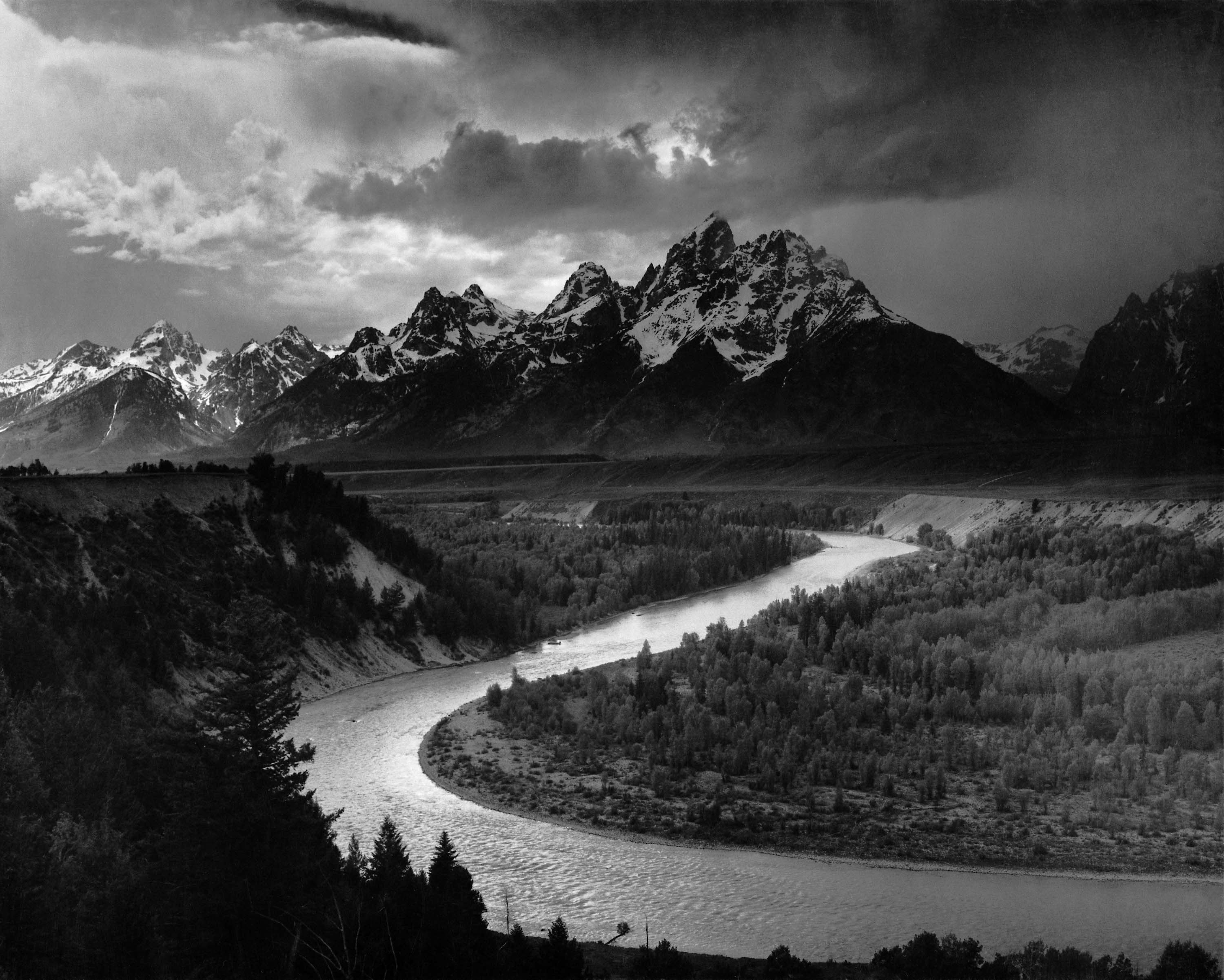
Image by Ansel Adams for the National Parks Service 1942"1940-1949 – National Parks and Monuments" describes the time period in which Adams was commissioned by then U.S. Secretary of the Interior Harold Ickes to photograph the national parks and monuments for murals to be displayed in the Department of the Interior's new Washington D.C. headquarters. It was during this time period that his work grew in different geographic directions beyond California and the Southwest, branching out to other locations across the country.

"1950-1959 – Conservation, Publications, and Commissions" focused Adams' attentions on photographic commissions and writing. It was during this time that he wrote the many technical books that became standard course materials, even to this day. He also spent time working on conservation issues with the Sierra Club as well as mounting exhibitions for them.

It was in 1956 with the help of Nancy Newhall that the exhibition "This is the American Earth" was presented. It was later turned into a book with Newhall's poetic text, and characterized as a wake up call to the nation for environmental issues.

"1960-1968 – Carmel" examines the time in the life of Adams, that although he photographed less and less, he printed more and more. Adams never worked with a lab as did many of his contemporaries. He made every print himself. During this time, when he was not printing, he was writing, teaching, and tackling conservation issues.

"Notes on Selected Photographs" contains information on selected images from throughout the book. There are over 75 images that contain comments, history, and other interesting insights into the artist. 400 Photographs is fully indexed by title and by subject. There is also included a bibliography of both Adams' work as well as works on Adams.

When I was growing up, my doctor had an Adams mural on the walls in one of his patient rooms. The image to me was enormous. Even more, the impact on me of this image was enormous. It has shaped the way I viewed photography and in many ways, how I view life in general. When I view the photographs in 400 Photographs, I get this same feeling.

Sure, the small images that are presented in this book cannot replace the feeling that one gets when you see his full size presentations, but that is not the purpose of this book. 400 Photographs is about presenting a body of work from someone who chose not to make photography fit into the notion of the pictorial art of the day, but instead made photography into an art form that could stand on its own. That is what makes this book so important.

I think that Ansel Adams: 400 Photographs is an absolute must have for anyone that enjoys Ansel Adams, art work, photography, or just wants to get lost into the world of images. It is also a must have for artists from other disciplines as the compositions, arrangement of light, and locations are inspirational. It should also be in every waiting room or patient room as well; you never know whom it will inspire.